Solitaire - Classic Card Games
- 4.6
- Rating
- 100.00M
- Installs
- Free
- Price
 Analysis by App-foxy
I keep coming back to Solitaire - Classic Card Games when I want a quiet game that starts instantly and does not demand a long explanation. It is a card game built around the familiar Klondike version of solitaire, and that familiarity is its biggest strength: I can pick it up for a few minutes, make a few decisions, and put it away without feeling that I have left something unfinished.
MobilityWare has been maintaining this version for a long time. It first appeared on September 1, 2011, and the current release is version 9.5.2.6456. That history matters because this is not a newly assembled card app trying to imitate a classic. It feels like a mature mobile interpretation of a game many people already know, with the convenience of playing on a phone or tablet rather than needing a physical deck.
How the current version feels to play
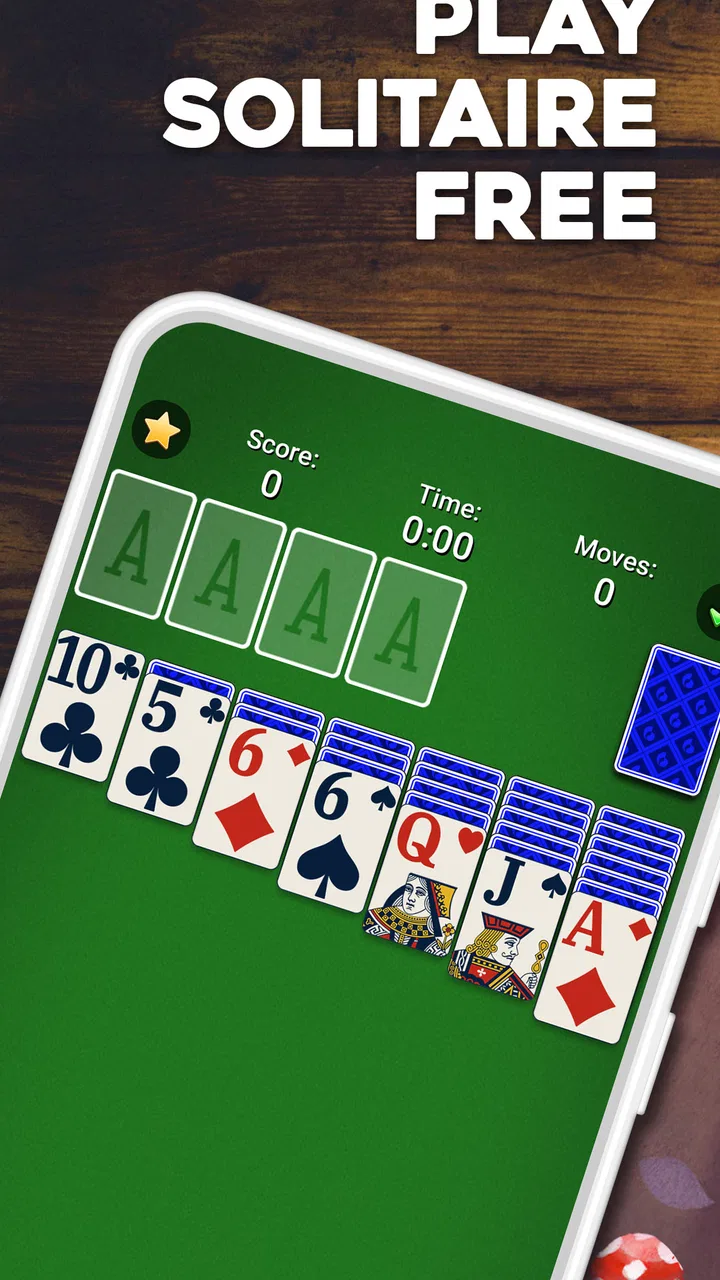
The basic loop is wonderfully direct. Cards are arranged in the familiar tableau, and I move them to reveal hidden cards, build descending sequences, and send completed suits to the foundations. The rules are easy to understand, but the decisions are not always obvious. A move that looks helpful can block a useful card later, so even a short session gives me something to think about.
You May Also Like

 Blood Strike: 2.5 Anniversary
Blood Strike’s Loadouts Turn Every Drop Into a Tactical Gamble
A close look at Blood Strike’s custom loadouts: how fast access to signature weapons reshapes its battle royale rhythm, rewards preparation, and narrows the gap between fights.

 Pandora - Music & Podcasts
Pandora’s Music Is Easy to Start, but Harder to Recover
Pandora’s strength is its low-effort path from a seed to a station. Its weak spot is how much confidence it asks you to place in connection, setup, and quiet recovery.

 8 Ball Pool
8 Ball Pool Is Built on Rivalries, Rematches, and Routine
A close look at the rivalries, rematches, shared routines, and unanswered safety questions that turn a quick pool match into a persistent mobile community.

 Samsung Music
Samsung Music’s Quiet Strength Is Playing What You Already Own
Its reach comes less from spectacle than from dependable access to a personal library. That simplicity is both the app’s strongest retention engine and its ceiling.

 AccuWeather: Weather Radar
AccuWeather Review: A Quick, Clear Forecast for Everyday Decisions
For everyday plans, the best forecast is the one you can understand quickly. AccuWeather makes rain timing, radar, and local conditions easy to act on, with a few trade-offs.

 Hill Climb Racing
Why Hill Climb Racing Still Turns Crashes Into One More Run
A tiny car, a bumpy hill and one more upgrade: Hill Climb Racing keeps resurfacing because its simple chaos makes every near-miss feel personal.
More From Our News Desk



That balance makes it suitable for very different moods. I can play casually while waiting for an appointment, or slow down and treat a deal as a small puzzle. The game does not require the reflexes of an action title, and it does not punish me for taking a moment to inspect the board. For anyone looking for a relaxing card game rather than a competitive challenge, that low-pressure rhythm is a real advantage.
In everyday use, I find the best scenario is a short break where I want more engagement than scrolling but less commitment than watching a full episode. A single deal gives the break a clear shape. If I win, I get a satisfying finish; if I lose, I can usually understand which choices made the position difficult and try again later with a different approach.
The interface is also approachable for people who have not played digital solitaire recently. The recognizable layout does much of the teaching. I do not need to learn a character class, a progression tree, or a collection of special abilities before I can begin. That simplicity is especially useful on a shared device, where someone can open the game and understand the objective almost immediately.
The small decisions that make Klondike worthwhile
Although the rules are familiar, the game rewards a little discipline. I try not to move every available card as soon as I can. Sometimes keeping a low card in place gives me more flexibility, while moving it immediately can close off a column. I also pay attention to face-down cards before building a long sequence, because exposing hidden information is often more valuable than making a visually tidy arrangement.
One practical habit is to consider empty columns carefully. An open space can be useful for moving a long stack, but filling it with the first available king may not be the best choice. I prefer to ask whether that king helps reveal cards or merely occupies the space. This is the kind of small tactical question that keeps the game interesting after the initial novelty has gone.
Another useful approach is to delay foundation moves when a card may still be needed in the tableau. Sending cards upward feels like progress, but a low card can sometimes support a later sequence. I do not follow this rule rigidly, because clearing a suit can also open options, but checking the wider board first prevents many avoidable dead ends.
These details are why I would not describe the app as completely mindless. It is gentle, but it still gives experienced players room to improve their habits. At the same time, someone who only wants to make obvious moves can enjoy it without studying strategy. That range is one of the reasons the game has remained accessible for so many years.
What the long development history means
The release history gives this edition a different character from a basic solitaire clone. After more than a decade on mobile, the product has had time to settle into a dependable form. The current version number, 9.5.2.6456, signals an actively maintained product rather than a one-off download left untouched after launch. I see that as reassuring when choosing a game I may keep installed for occasional use.
At the same time, a mature app is not automatically the best fit for every player. Long-running free games often need ways to support continued development, and that can affect how relaxed the experience feels. The app is free to install, but optional purchases range from $1.99 to $29.99 per item. That does not make the game unsuitable, yet it is worth remembering if I want a completely distraction-free experience with no commercial pressure.
The age rating is Everyone, which matches the straightforward nature of the game. There is no complicated premise to explain to a family member, and the core activity is simply arranging cards. I would still make my own judgment about whether a child should use any free-to-play app independently, especially where optional purchases are available, but the game itself is broadly approachable.
It also has a wide device reach. The Android edition supports operating systems from version 8.0 onward, so it remains usable on many older phones rather than being limited to the newest hardware. That is helpful for people who keep a secondary phone or prefer not to upgrade just to play a simple card game.
Where it stands among solitaire alternatives
The usual alternatives fall into a few groups. A physical deck offers the most tactile experience and avoids screens entirely, but it requires space, setup, and enough concentration to keep the cards organized. A computer version may feel comfortable on a larger display, while another mobile solitaire app may focus more heavily on visual customization, challenges, or social features.
This edition makes the most sense when convenience is the priority. It gives me the classic structure without asking me to shuffle cards or find a table. Compared with a simple offline card simulation, a long-established app can feel more polished and easier to return to, but it may also include more of the monetization and presentation choices associated with a modern mobile product.
I would choose a physical deck if I wanted a screen-free evening or enjoyed handling real cards. I would look elsewhere if my main goal were multiplayer competition, a large collection of unusual solitaire variants, or a minimalist app with absolutely no optional purchase prompts. This game is strongest when I want recognizable Klondike solitaire in a convenient, familiar package.
The scale of its audience supports that conclusion. It has passed 100 million installs, with an average rating of 4.6 from around 1.8 million ratings and roughly 205 thousand written reviews. Those figures do not prove that every player will enjoy it, but they do show that the format has connected with a very large mobile audience over time.
How existing players may experience the current release
If I were returning after a long break, I would expect the fundamentals to feel immediately familiar rather than radically reinvented. That is good news for regular players who value consistency. A solitaire app does not need to replace its central rules every few months; the important question is whether the current build remains comfortable to use and dependable on supported devices.
The evolution here is best understood as refinement around an established game, not a transformation into something unrelated. The current version preserves the identity that made the app recognizable in the first place. For existing users, that means the time invested in learning the interface and developing personal tactics still pays off.
New players should not assume that a high install count means the app will automatically match their preferences. Popularity tells me that the basic proposition works for many people, but individual tolerance for advertisements, optional purchases, visual style, and daily repetition varies. I recommend trying several deals before deciding whether the pacing feels calming or too repetitive.
One advantage for returning players is that the app can serve as a reliable mental reset. I sometimes use solitaire after finishing a task because it occupies just enough attention to create a boundary between activities. The limitation is that the same repetitive structure can become stale if I play for long stretches. This is a game I enjoy in small doses more than as an all-evening activity.
Where the experience still has limits
The central limitation is also the central premise: this is classic Klondike solitaire. If I want a constantly changing game system, the familiar rules may eventually feel narrow. There is satisfaction in improving my decisions, but there is not the same variety I would get from moving between radically different card games or a story-driven puzzle campaign.
Free access can bring another kind of friction. The purchase range means I should approach the app with realistic expectations: the download costs nothing, but the surrounding experience may encourage optional spending. I would not hand the device to someone who can make purchases without first checking the relevant account settings. That is sensible advice for any free mobile game, and particularly important when the game is easy for a casual player to open repeatedly.
Players who dislike interruptions may prefer a paid solitaire title or a physical deck. Likewise, people searching for competitive matchmaking, shared tables, or a deep achievement-focused system should compare alternatives before settling here. The app succeeds by keeping the classic activity accessible, not by turning solitaire into a broad social platform.
There is also a psychological trade-off. Because each deal is short and familiar, it is easy to tell myself I will play only once more. I find the game most useful when I decide on a clear stopping point before starting. That simple boundary keeps a relaxing break from turning into unplanned screen time.
Practical advice before installing
For a first session, I suggest playing slowly rather than trying to clear the board as quickly as possible. Look for moves that expose face-down cards, preserve flexible columns, and avoid committing a king to an empty space without a reason. These habits reveal the strategic side of the game much faster than simply tapping every highlighted option.
If you are installing it on an older Android phone, the operating-system requirement is Android 8.0 or later. The game is free, so there is little barrier to testing it, but I would still decide in advance whether optional purchases fit your budget. The listed in-app items run from $1.99 to $29.99 each, which is a meaningful difference depending on how casually you intend to play.
I would recommend it to someone who wants a familiar solo activity, a low-stress way to fill short gaps, or a gentle introduction to digital card games. It is also a sensible choice for players who prefer thinking at their own pace instead of racing a timer or competing against strangers.
I would skip it if I already know that traditional solitaire feels repetitive, if I want a completely purchase-free environment, or if my priority is multiplayer interaction. In those cases, a physical deck, a paid minimalist alternative, or a different card genre would probably serve me better.
What I would watch as the app continues
With a product this established, I would pay attention to how future releases balance convenience with simplicity. The best updates would preserve the instantly recognizable Klondike experience while keeping the interface comfortable on current and older supported devices. I would also want optional commercial elements to remain clearly separated from the basic act of playing a deal.
For existing users, stability and continuity matter more than dramatic reinvention. For new users, clarity around the free experience matters most. Those two needs can coexist if the classic game remains easy to start and the surrounding choices stay understandable.
My overall view is positive but specific: this is not the most ambitious card game on mobile, and it does not need to be. It is a well-established, free solitaire option from MobilityWare that earns its place through familiarity, accessibility, and a pace that fits ordinary breaks. If you want classic Klondike without carrying a deck of cards, this is an easy recommendation—provided you are comfortable with the realities of a free app and do not expect a large multiplayer or variant-heavy experience.
FAQs for Solitaire - Classic Card Games
01What features does Solitaire - Classic Card Games offer?
Solitaire - Classic Card Games offers a range of features designed to enhance your playing experience. These include customizable card backs and backgrounds, daily challenges, and statistics tracking. The game also supports both portrait and landscape modes, providing flexibility in how you play. Additionally, hints and undo options are available to assist new players or those stuck on a tricky move.
02Is Solitaire - Classic Card Games free to play?
Yes, Solitaire - Classic Card Games is free to download and play. However, it may include optional in-app purchases to unlock premium features or remove ads. These purchases are not necessary to enjoy the core gameplay but can enhance the experience by offering additional customization options or an ad-free environment.
03Does the app require an internet connection to play?
Solitaire - Classic Card Games can be played offline, making it ideal for users who may not have a stable internet connection. However, certain features like daily challenges or updates may require an internet connection to function properly. Playing offline will not affect the basic game functionality.
04Are there any accessibility features in Solitaire - Classic Card Games?
Yes, the app includes several accessibility features to accommodate different player needs. These may include adjustable text sizes, high-contrast modes, and voice-over compatibility. These options aim to make the game more inclusive, ensuring players with varying needs can enjoy the classic card game experience.
05How does Solitaire - Classic Card Games handle data privacy?
The app is committed to protecting user data and privacy. It adheres to standard data protection regulations and does not share personal information without consent. Users can review the privacy policy within the app to understand how their data is collected, stored, and used. It's recommended to keep the app updated to benefit from the latest security enhancements.
Pros
- Smooth gameplay enhances user experience.
- Variety of card themes adds personalization.
- Offline mode available for uninterrupted play.
- Simple controls suitable for all ages.
- Daily challenges keep the game engaging.
Cons
- Includes ads that can be distracting.
- Limited features in the free version.
- Occasional bugs in app updates reported.
- Lacks multiplayer or online features.
- No tutorial for beginners to learn rules.

Solitaire - Classic Card Games
Gallery